
Consistent character concepts are not only a face-matching problem. A character can keep the same eyes and still lose the clothing, silhouette, age, or emotional read that made the first concept useful. The better question is how each image workflow establishes identity, carries it into a new scene, and makes the next correction affordable.
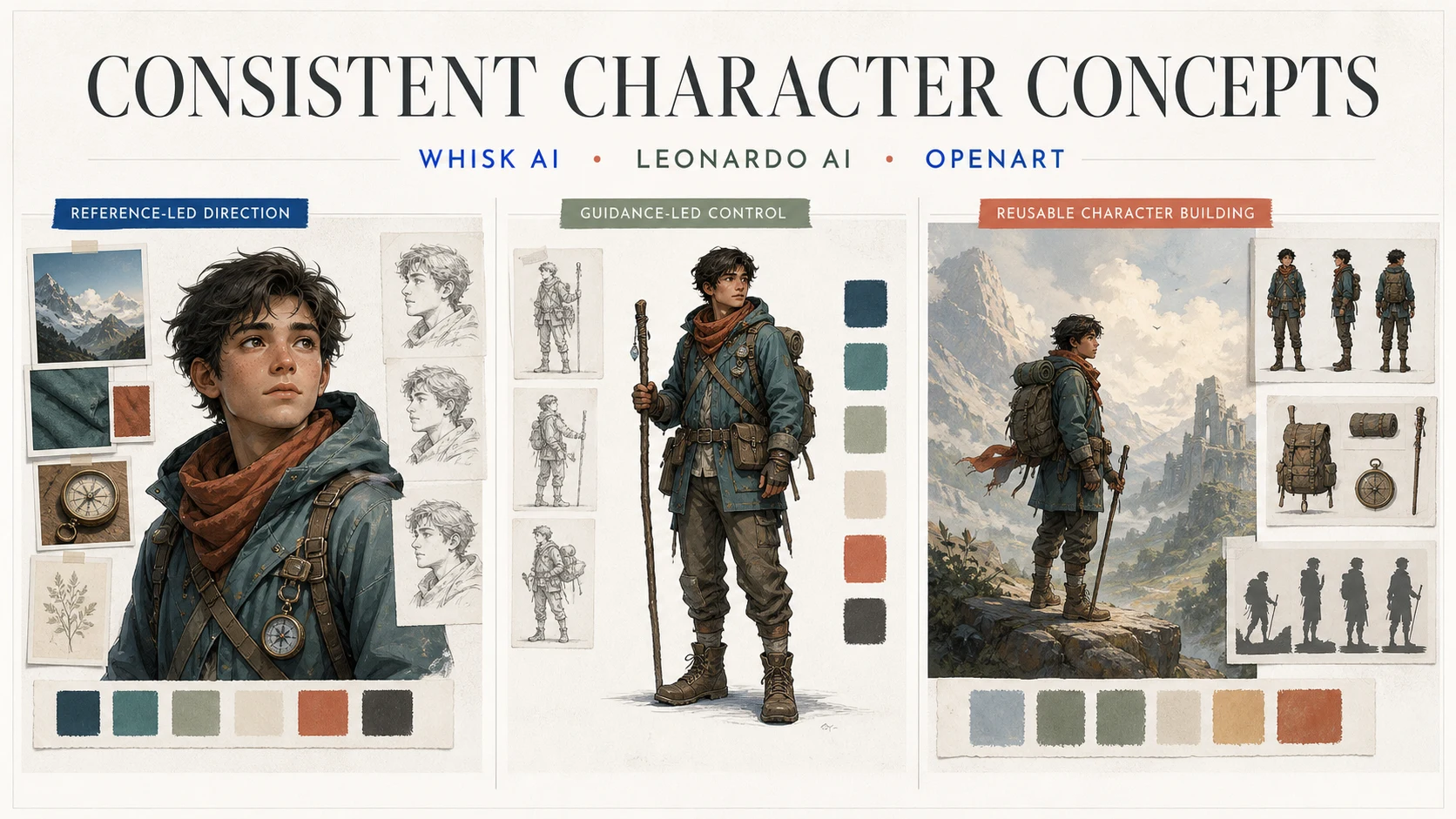
Whisk AI, Leonardo AI, and OpenArt begin from different parts of that job. Whisk AI separates a visual brief into Subject, Scene, and Style roles. Leonardo AI exposes character and image guidance controls that put reference influence closer to generation. OpenArt positions its AI Character experience around reusable characters that can travel across images, videos, and larger creative worlds.
This is a workflow comparison, not a claim that one service produces the same character best in every prompt. Compare the control surface, the handoff, and the cost of the fourth revision. Start in the Whisk AI workspace when the brief begins with a reference and a direction you want to explore.
The short answer
| Character job | Best starting point | Why it fits | Main tradeoff |
|---|---|---|---|
| Explore one known character through several scenes and visual treatments | Whisk AI | Subject, Scene, and Style references keep the creative brief legible before a model run | It is a workspace, not a persistent character library, so every branch still depends on its inputs and selected model |
| Push likeness, pose, or reference influence with explicit controls | Leonardo AI | Character Reference and other Image Guidance modes put reference behavior close to generation | Guidance options and behavior vary by base model, and Character Reference is not a guarantee of exact identity |
| Build a character that can be reused across a longer series | OpenArt | Its AI Character surface is designed around reusable identity, reference images, prompts, and presets | More persistent creative scope also means more plan, credit, and variation questions to manage |
Choose Whisk AI when the hard part is deciding which reference should control the character, the world, or the visual treatment. Choose Leonardo AI when likeness and reference influence need a visible control surface. Choose OpenArt when the character is becoming a reusable asset rather than a single concept.
What consistent character concepts actually measure
The phrase "consistent character" hides several different tests. A useful comparison separates them:
- Identity: Do the face, hair, age, body shape, wardrobe anchors, and distinctive props remain recognizable?
- Reference control: Can you tell which supplied image influenced the result, and can you change that influence without rebuilding everything?
- Scene expansion: Does the character survive a new camera distance, pose, environment, or lighting setup?
- Output fit: Can the result become a concept sheet, social image, storyboard frame, or production reference at the needed ratio and resolution?
- Revision cost: When one detail is wrong, can you correct that detail, or must you restart the entire character direction?
The first image is not enough evidence. A convincing portrait may collapse when the character turns around. A strong scene may quietly change the jacket, hair, or age. A reusable character may still need manual cleanup before it becomes a reference for a designer or animator.
| Review dimension | Pass signal | Failure signal |
|---|---|---|
| Identity | The character is recognizable from face, silhouette, wardrobe, and signature details | The face is similar but the character reads as a different person |
| Reference control | Each reference has one explainable job | A scene image changes the face or a style image changes the wardrobe unintentionally |
| Scene expansion | The same identity holds in a new pose, crop, or environment | The first portrait works, but the full-body or action frame does not |
| Output fit | The image has the ratio, detail, and framing needed for the next handoff | The concept needs another rebuild before anyone can review it |
| Next revision | The next request names one variable and one expected change | The only fix is another blind reroll |
Whisk AI: reference-led character direction
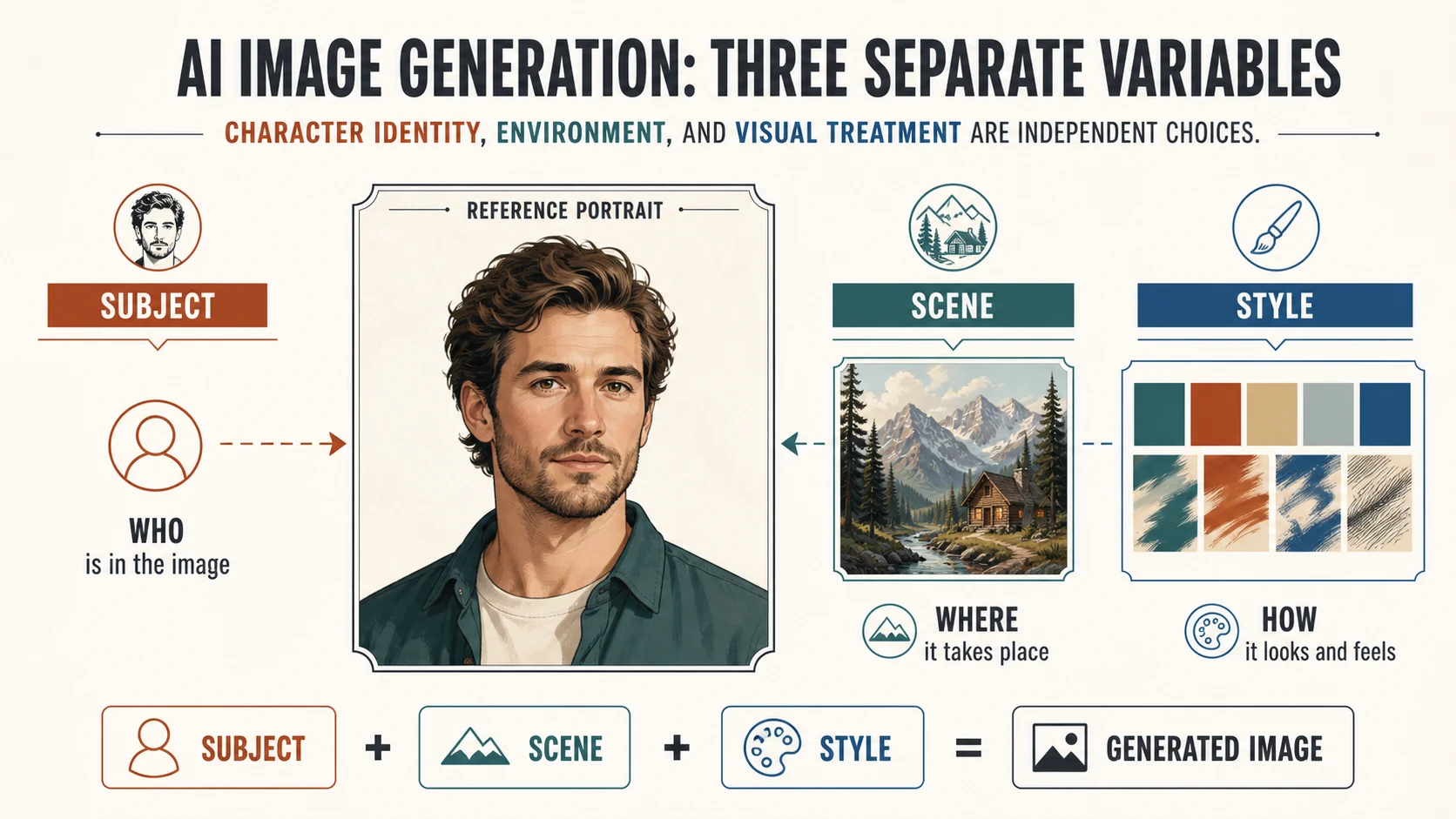
Whisk AI treats character exploration as a structured image brief. In the current image workspace, the three reference roles are:
- Subject carries the person, character, or object that should stay recognizable.
- Scene carries the environment, composition, scale, or setting that surrounds the subject.
- Style carries the palette, lighting, material, texture, or visual treatment.
That separation is useful before you know what the final character should become. Put a rough character sketch in Subject, a location reference in Scene, and a costume or medium reference in Style. Then use the prompt for decisions that references cannot state cleanly: change the camera distance, keep the scarf, remove the extra prop, or leave room around the figure.
The current Whisk catalog includes image-to-image model entries with multiple reference-image inputs and common aspect-ratio and resolution controls. The selected model performs the generation, so Whisk AI should be understood as a reference-led workspace rather than a fourth model in this comparison. The Subject, Scene, and Style separation is the same discipline that makes product references easier to review.
Whisk AI is strongest when:
- You are still exploring the character's visual language.
- The same subject needs to move through several worlds without mixing every reference into one undifferentiated prompt.
- The team wants to compare directions while keeping the input roles visible.
Its boundary is persistence. Whisk AI can make a character reference easier to branch, but this article does not treat the workspace as a character-training or asset-library product. Save the winning reference, prompt, model, ratio, and rejected details as a small character brief before starting the next session.
Leonardo AI: character reference and guidance controls
Leonardo's current Image Guidance documentation describes a broader reference-control surface than a single style image. It lists Character Reference, Content Reference, Style Reference, Depth, Edge, Sketch, Pose, Normals, Pattern, QR, Lineart, and text-image input modes, with availability depending on the base model.
The practical distinction matters. Character Reference is intended to preserve likeness. Content Reference is more about general shapes and details than exact character identity. Style Reference transfers a visual treatment rather than a person. Mixing these jobs can create a persuasive image that no longer has a stable character anchor.
The same documentation describes newer Omni models as able to understand reference images together with instructions, with up to six uploaded images described in the current guidance. The older Character Reference control is a single-image path with a strength range from Low to High. Leonardo also notes that the result tends to work better with generated subjects than with externally sourced images, and that non-humanoid subjects can be difficult.
For a character test, begin with one clean identity reference. Use Character Reference for likeness, then change only one of pose, scene, wardrobe, or expression. If the model supports a multi-image Omni path, add references only when each one has a named role. More images are not automatically more control.
Leonardo AI is strongest when:
- Face likeness is the main failure mode.
- You want to inspect or adjust reference strength near the generation step.
- A character concept needs pose or guidance inputs rather than only a broad mood reference.
The tradeoff is model dependence. Do not assume that every Leonardo model exposes the same guidance options or interprets them in the same way. Record the selected base model and guidance mode with the output, or a successful character test will be hard to reproduce.
OpenArt: reusable characters and larger creative worlds
OpenArt's current AI Character experience is organized around creating and reusing a defined digital character. Its official product material presents three starting routes: a reference image for more control, a text prompt for flexibility, and Character Builder presets for a faster guided setup. Once created, the character can be reused or referenced across OpenArt workflows, while the product notes that small variations can still occur.
That makes OpenArt a good fit when the character is becoming a recurring asset. Instead of treating every portrait as a new prompt, define the identity once, then test the character in different images, videos, scenes, and visual treatments. The broader OpenArt Suite also frames characters, worlds, and style as reusable parts of a larger creator studio, which changes the handoff from "pick the best single image" to "maintain a working character over time."
OpenArt is strongest when:
- The character needs to appear in a sequence rather than a one-off concept.
- A guided builder is more useful than a blank prompt.
- You want a reference, prompt, or preset to become a reusable starting point for later outputs.
The tradeoff is scope. A reusable character system introduces more choices around asset organization, output types, plan credits, and acceptable variation. OpenArt's current pricing surface expresses capacity through monthly credits, approximate consistent-character allowances, and parallel generation limits. Treat those values as planning variables that can change, not as proof that one character will remain exact forever.
Choose by character job
Keep one character recognizable while changing the scene
Start with Whisk AI when you are still finding the concept and the main need is to separate the character from the world around it. Subject can carry the identity while Scene changes from a studio to a mountain trail or a city street. Once the character brief is stable, OpenArt may be the better home for repeated reuse.
Control likeness, pose, or reference influence
Start with Leonardo AI when the face or pose is the bottleneck. Its Character Reference and broader guidance modes give you more explicit reference decisions to test. Keep the first identity image clean and change one variable at a time. If the character is non-humanoid, test early instead of assuming that human likeness controls will transfer.
Build a reusable character for many outputs
Start with OpenArt when the character should persist across a series of images or mixed media. Use a reference image when identity matters most, a prompt when the concept is still fluid, or a builder preset when speed matters. Keep a written character brief anyway. Reuse improves consistency, but it does not replace review.
Explore before you lock the character bible
Start with Whisk AI when you have a loose visual direction and several possible treatments. The role-based brief lets you explore a costume, environment, and medium without treating the first portrait as permanent truth. The earlier comparison of style exploration with reference images uses the same principle: decide what each reference is allowed to change before judging the output.
| Character decision | First path to test | Why it fits | What to save for the next handoff |
|---|---|---|---|
| Explore a known subject across scenes | Whisk AI | Reference roles make identity, environment, and treatment separable | Subject, Scene, Style, prompt, model, ratio, and chosen direction |
| Correct face likeness or pose behavior | Leonardo AI | Character and guidance controls put reference influence close to generation | Base model, guidance mode, reference strength, and failed details |
| Reuse one identity across a series | OpenArt | Character creation and reuse are part of the product surface | Character asset, source reference, preset or prompt, and acceptable variation |
| Decide whether the character is ready for production | Any path plus human review | Consistency is a handoff requirement, not only a generation setting | Approved reference sheet, exclusions, wardrobe anchors, and sign-off notes |
Run a fair three-way character test
Use one fictional character, one scene change, one visual treatment, and one correction. Do not compare a first draft from one path with a polished multi-reroll result from another. Keep the reference, prompt, crop, output count, and review size constant wherever the surfaces allow it.
Use a brief such as:
Create a character concept for Rowan, a fictional mountain courier in their early 30s with dark wavy hair, an olive overshirt, a rust scarf, and a worn canvas pack. Show a clear portrait and a full-body three-quarter pose. Keep the face, hair, scarf, and pack recognizable. Use natural morning light and a restrained editorial color palette.
Then run five passes:
- Generate the anchor portrait and record the model, reference mode, ratio, and credits or plan cost.
- Move the character into the same mountain cabin scene in all three paths.
- Change only the pose and camera distance. Check face, hair, wardrobe anchors, and silhouette.
- Apply one bounded revision, such as keeping the scarf while removing an extra backpack strap.
- Score identity, scene expansion, output fit, and the time required to reach a reviewable direction.
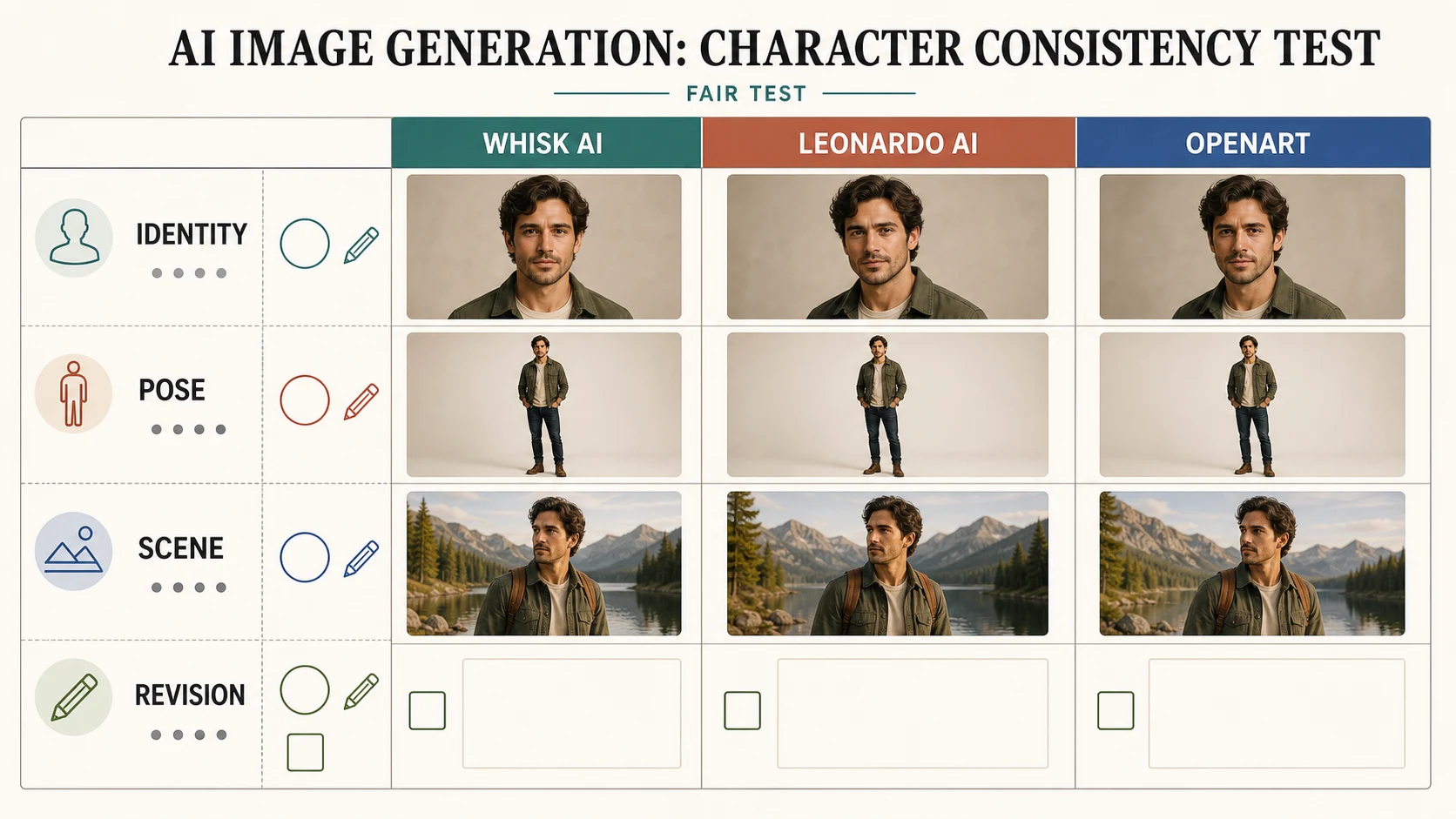
The point is not to produce a fake leaderboard. It is to see whether the next request is clear, whether the identity survives the change, and whether the result can become a useful handoff. A character that looks impressive in one portrait but requires a full restart for every scene may be more expensive than a less dramatic concept with a better revision path.
Review the output before approval
Review every candidate at the crop and size where it will be used. Check:
- Identity: face shape, hairline, age, body proportions, skin details, wardrobe anchors, and signature props.
- Continuity: clothing closures, scarf position, pack straps, hands, footwear, and left-right details across frames.
- Scene: the environment changes without silently replacing the character's defining details.
- Output fit: the image has the ratio, resolution, and framing needed for a concept sheet or next production step.
- Revision path: the next correction has one target, one input change, and one owner.
Do not approve a character because the face feels close. Compare the full silhouette and the details that another person would use to redraw or stage the character. A clean reference sheet, prompt, and exclusions are more valuable than an unrecorded gallery of near-duplicates.
Bottom line
Use Whisk AI when the character is still being directed and the important decision is which reference should control the subject, scene, or style. Use Leonardo AI when likeness, pose, and guidance influence need explicit testing near generation. Use OpenArt when the character is becoming a reusable asset across a longer series.
There is no universal winner because the products solve different layers of the problem. A sensible path may begin in Whisk AI for exploration, move through Leonardo AI for a likeness-sensitive test, and settle in OpenArt when the character needs a persistent home. Judge the cost of the next approved version, not only the charm of the first portrait.
Frequently asked questions
Which is best for consistent character concepts?
Whisk AI is the strongest starting point for separating identity, scene, and style while a concept is still moving. Leonardo AI is the strongest starting point when likeness or pose control is the main concern. OpenArt is the strongest starting point when the character should be reused across a continuing series. The right choice follows the character job, not a universal ranking.
Is Whisk AI a character-training model?
No. Whisk AI is a reference-led image workspace. Its Subject, Scene, and Style roles organize a visual brief, while the selected model performs generation. Save the winning reference and brief if the character must be reproduced later.
Is Leonardo Character Reference the same as Style Reference?
No. Character Reference is intended to influence likeness, while Style Reference is intended to influence visual treatment. Content Reference is a different path again, focused more on general shapes and details than exact identity. Reference availability depends on the selected base model.
Does OpenArt guarantee an exact character match?
No. OpenArt's current AI Character material describes reuse with improved consistency while also noting that small variations may occur. Treat the character asset as a strong starting point, then review face, wardrobe, pose, and scene details before handoff.
How should I compare cost across the three?
Record the whole revision loop. Whisk AI exposes a credit estimate for the selected catalog model and parameters. Leonardo AI usage depends on the selected model, guidance path, output count, and plan. OpenArt expresses capacity through plan credits and character-generation allowances. The useful number is the cost and time required to reach an approved character direction.