
Text-in-image campaign graphics are not only image-generation problems. A launch poster has to spell the headline correctly, a social card needs a usable hierarchy, and a product scene may need to leave room for approved copy without changing the product itself.
Ideogram 4.0, GPT Image 2, and Whisk AI start from different parts of that job. Ideogram 4.0 puts type and layout close to the generation step. GPT Image 2 is an instruction-led image model that can generate and edit from text and image inputs. Whisk AI is a reference-led image workspace with Subject, Scene, and Style slots plus a selectable model catalog.
Treat this as a workflow comparison. Whisk AI is a workspace, and its selected model determines the generation behavior. Compare the control surface, the output handoff, and the cost of correcting the fourth draft. Start in the Whisk AI workspace when the brief begins with a subject, a scene, and a visual direction.
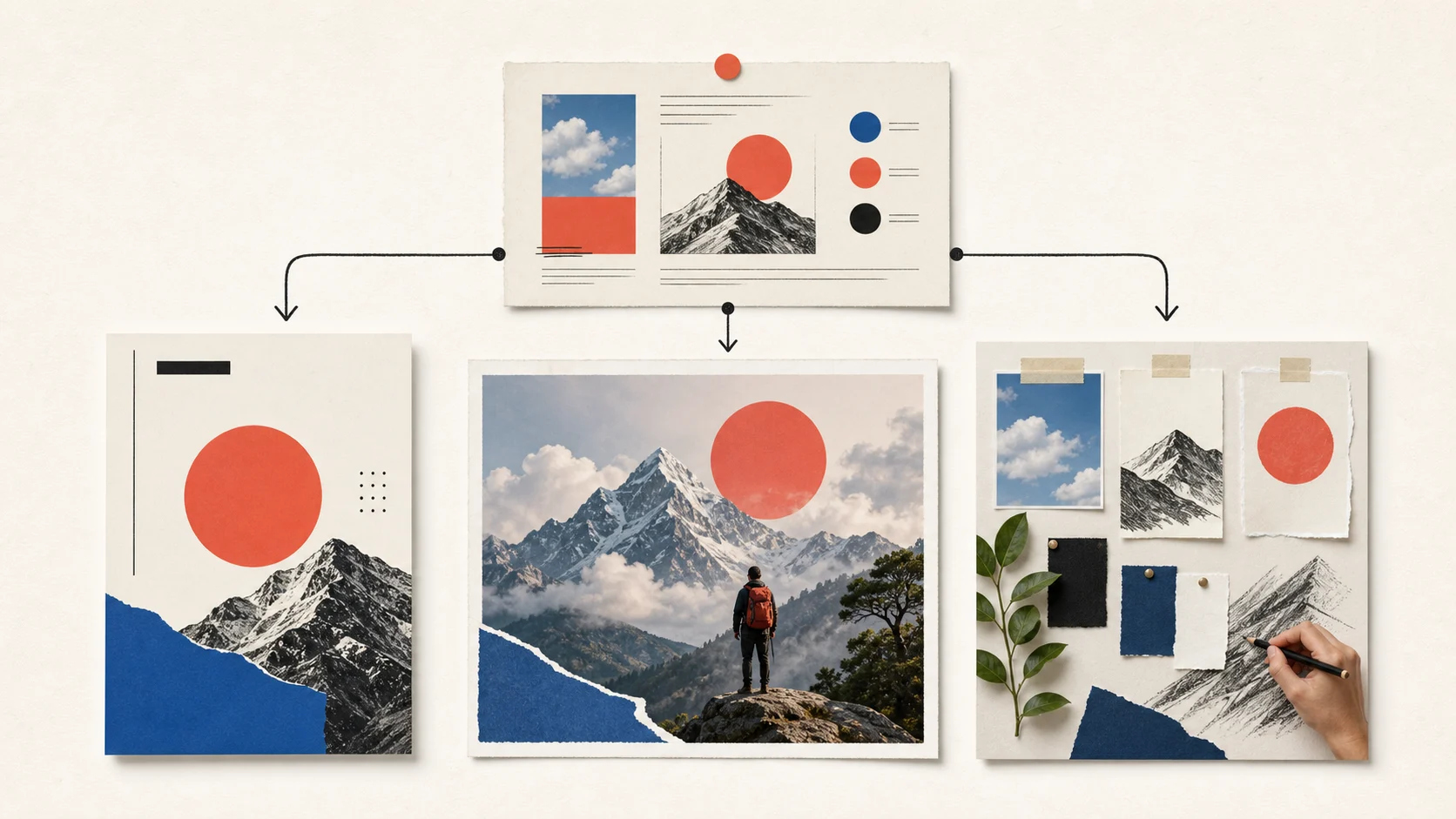
The short answer
| Campaign job | Best starting point | Why it fits | Main review target |
|---|---|---|---|
| Poster, social card, or ad with visible headline text | Ideogram 4.0 | Type rendering, design-aware composition, editing, transparency, and editable-text workflows sit close to generation | Exact words, hierarchy, spacing, and brand typography |
| Complex brief with several visual facts or a bounded image edit | GPT Image 2 | Text and image understanding, high-fidelity image inputs, prompt-led edits, and masks support instruction-heavy work | Subject details, local edit boundaries, and copy accuracy |
| Known subject across several scenes, treatments, or copy-space options | Whisk AI | Subject, Scene, and Style references make the brief inspectable before a model run | Reference drift, output ratio, and the next change |
| A final approved campaign file with legal or regulated copy | An approved design process | Generated pixels can provide direction, not authoritative claims or packaging text | Source truth, final typesetting, and sign-off |
Choose Ideogram 4.0 when the words are part of the deliverable. Choose GPT Image 2 when the image has to follow a dense instruction or change an existing composition. Choose Whisk AI when the team needs to explore a known visual subject through deliberate reference roles. These paths can support the same campaign, but they solve different bottlenecks.
What text-in-image campaigns measure
A readable phrase is only the first gate. Compare each path on four questions:
- Type fidelity: Does the output render the requested words without missing letters, substitutions, or invented copy?
- Layout control: Can the headline, subject, and negative space occupy the frame in the intended order?
- Reference control: When a product, person, palette, or scene reference is supplied, does the output use it for the right reason?
- Revision cost: Can the team make one bounded correction without rebuilding the entire brief?
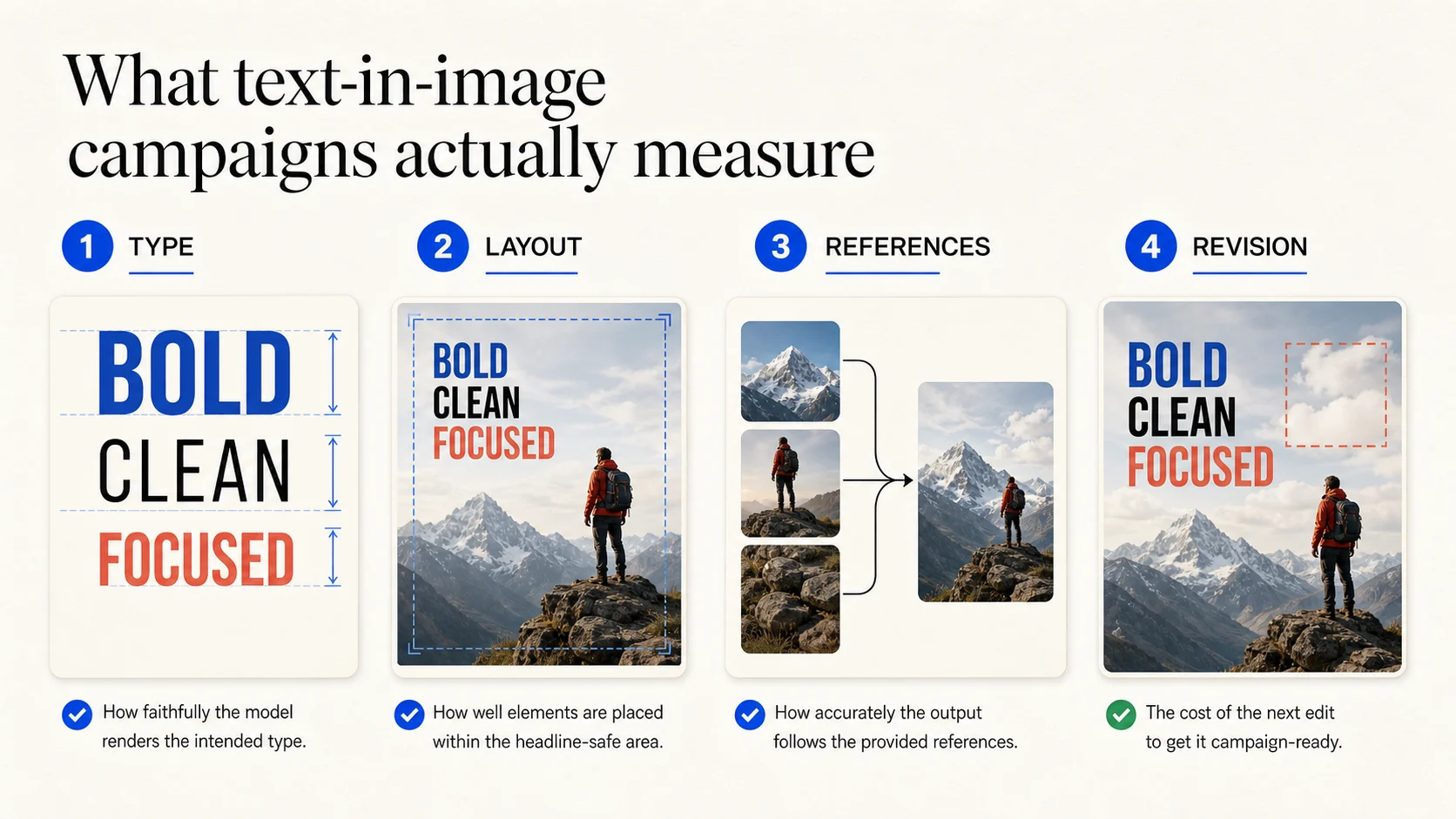
Use the same scorecard for each candidate:
| Review dimension | Pass signal | Failure signal |
|---|---|---|
| Type fidelity | The headline is exact at the size where the audience will see it | A single wrong word forces a new generation or manual reconstruction |
| Layout control | Copy space, focal point, crop, and reading order are intentional | The subject collides with the headline or the frame has no usable hierarchy |
| Reference control | Each supplied image contributes a visible, explainable role | The output borrows the wrong object, mood, color, or material |
| Output fit | The ratio, resolution, and format match the channel | The team needs a second composition before design work can begin |
| Next revision | The next change can be stated as one clear request | A small defect requires a full restart and a new reference set |
The scorecard keeps a typography win from hiding a production problem. A poster with perfect words but no room for the product still needs work. A beautiful product scene with a broken headline needs the same review.
Ideogram 4.0: type and layout control
Ideogram 4.0 is the most direct fit when text is a visible design element. Its current model and feature surfaces emphasize prompt fidelity, clear in-image type, reliable editing, native transparency, style control, and design-quality output. That focus matches campaign work such as posters, product announcements, social graphics, signage, and thumbnail concepts.
Prompt discipline still matters. Put the exact copy near the beginning of the prompt, use quotation marks around the requested words, and describe the role of each text element. For a more controlled layout, Ideogram 4.0 supports structured prompting that can describe text elements and their bounding boxes. This gives the model more information than a vague request for a "nice headline."
Ideogram also keeps several useful post-generation paths close to the image. Depending on the selected surface and account, the current compatibility set includes prompt editing, editable text layers, extend, reframe, upscale, remix, Magic Fill, and background removal. Layerize can change the handoff because the text is no longer trapped in a flat generated frame.
Ideogram can produce a legible headline while choosing the wrong font weight, crowding the product, or creating an unsuitable line break. Longer body copy and legal language still belong in a human typesetting pass. The API uses separate per-image rates for Turbo, Default, and Quality modes. App usage depends on plan, credits, model, render speed, and output count, so record the mode and output count for each batch.
Use Ideogram 4.0 when:
- The headline or short message must appear inside the first visual draft.
- Layout, transparency, or editable text layers reduce handoff work.
- You need several design directions and can proofread the words before release.
Ideogram is less useful as the only answer when the central problem is preserving a known product across many environments. It can create a convincing product concept, but a layout-aware output is not a pixel-locked product composite.
GPT Image 2: instruction-led image generation and editing
GPT Image 2 is a model path rather than a design canvas. It accepts text and image input for generation and editing, understands relationships between the prompt and supplied images, and supports masked changes. That makes it useful for an instruction such as: keep the bottle and camera angle, replace the background, add open space on the right, and remove the second prop.
The mask is a guide, not a perfect stencil. A prompt still tells the model what the edited region should become, and the result can move beyond the exact mask boundary. GPT Image 2 also processes image inputs at high fidelity automatically, so reference-heavy requests can consume more image input tokens. OpenAI's current API pricing uses token accounting for image input and output rather than one universal per-image rate, which means resolution, reference count, and output choice belong in the budget.
The current Whisk AI catalog exposes GPT Image 2 in both text-to-image and image-to-image entries. The image-to-image entry accepts up to 16 reference images with a 10 MB limit per image, and its visible controls include broad aspect-ratio choices plus 1K, 2K, and 4K resolution. The catalog starts the model at a base credit cost and applies a higher multiplier to larger resolution choices. That is the practical path for testing GPT Image 2 inside a reference-led workspace without building a separate API client.
GPT Image 2 can render words, but typography handoff is not its central contract. It fits a brief that combines scene, object, lighting, and narrative constraints better than a request for exact multi-line typesetting. Verify the headline, logo exclusion, spacing, and repeated campaign details in a separate review pass.
Choose GPT Image 2 when:
- The brief contains several connected visual instructions.
- A source image carries identity or composition that must inform the result.
- The next edit is local enough to describe with a prompt or mask.
GPT Image 2 is not the best default for a design system that needs editable type layers or a guaranteed final poster layout. Its strength is contextual image making and iterative correction.
Whisk AI: reference-led campaign exploration
Whisk AI solves the problem before the final type treatment. In the current image workspace, the Whisk display mode maps an image-to-image model input into three optional one-image roles:
- Subject carries the product, person, or object that should stay recognizable.
- Scene carries the setting, composition, scale, or environmental arrangement.
- Style carries the palette, material, lighting, texture, or visual treatment.
The prompt fills in decisions the references cannot express cleanly. Ask for a landscape crop, open space on the right, a quiet launch mood, a particular camera distance, or the absence of extra copy. Then choose an available image model and review the credit estimate before submitting another branch.
Whisk AI is not a fourth image model competing with Ideogram 4.0 and GPT Image 2. It is a structured way to run the current catalog. GPT Image 2 is available in that catalog today, so state whether a comparison judges the model or the workspace around it. Whisk is most valuable when reference roles must stay visible across several routes.
The tradeoff is text authority. Whisk can ask a selected model to render a phrase and can protect copy space through the prompt, but it is not a replacement for a layout editor. Generated output may alter a label, small mark, product proportion, or exact letterform. The AI product photography guide uses the same reference separation and applies the same rule: generated pixels are creative direction until an approved source and design pass take over.
Choose Whisk AI when:
- The campaign starts from a real subject or product reference.
- Subject identity, setting, and style need separate experiments.
- The team wants to compare models without moving the reference brief between interfaces.
Choose by campaign job
Build a typography-led poster or social graphic
Start with Ideogram 4.0. Put the exact short headline, line hierarchy, placement, and design category into the brief. Use editing or editable text when the direction is close, then move longer copy and required brand language through approval.
Turn a dense creative brief into one coherent image
Start with GPT Image 2. Describe the subject, environment, lighting, camera position, copy space, and exclusions in one instruction. Add a source image when words cannot express the needed details. Use a mask only for a clear local change, then inspect the surrounding pixels.
Explore one product across several campaign worlds
Start with Whisk AI. Put the product in Subject, give the environment a Scene reference, and reserve Style for a separate treatment experiment. Keep one variable stable while you branch another. That makes the fourth image easier to judge than a pile of unrelated prompts.
Protect packaging, legal copy, and product truth
Use the approved source and a human design process as the authority. All three paths can generate directions, but none should rewrite an ingredient, measurement, trademark, disclaimer, or mandatory label. The earlier comparison of product and marketing images applies the same boundary.
| Campaign decision | First path to test | Why it fits | What to hand off |
|---|---|---|---|
| Exact short headline in the image | Ideogram 4.0 | Text and layout are part of the generation brief | Proofed copy, chosen layout, and editable layers where available |
| Complex scene with a controlled correction | GPT Image 2 | Text and image inputs plus prompt-led editing support connected constraints | Source image, prompt, mask, output ratio, and failed details |
| Reference-led route exploration | Whisk AI | Subject, Scene, Style, model selection, and credit estimate stay in one workspace | Reference roles, prompt, selected model, ratio, and next edit |
| Final public campaign asset | Approved design process | Exact brand and legal requirements need authoritative files | Signed-off copy, source assets, and channel exports |
Run a fair three-way test
Use one unbranded amber skincare bottle, one calm campaign idea, and one landscape output ratio. Keep the source, prompt, output count, review size, and number of attempts constant. A useful baseline prompt is:
Create a landscape campaign image for an unbranded amber skincare bottle on pale limestone. Reserve open space on the right for the headline "Quiet care, clearly made." Use soft morning light, a warm off-white background, a restrained blue accent, and no additional copy.
Run the comparison in five passes:
- Generate a text-only baseline with the same prompt and ratio wherever each path supports it.
- Add the same product reference where the surface accepts image input. In Whisk AI, keep it in Subject.
- Add the headline and compare exact words, line breaks, hierarchy, and copy space.
- Make one bounded correction, such as moving the bottle left or softening the shadow.
- Record time, price or credits, output resolution, failures, and the next requested change.
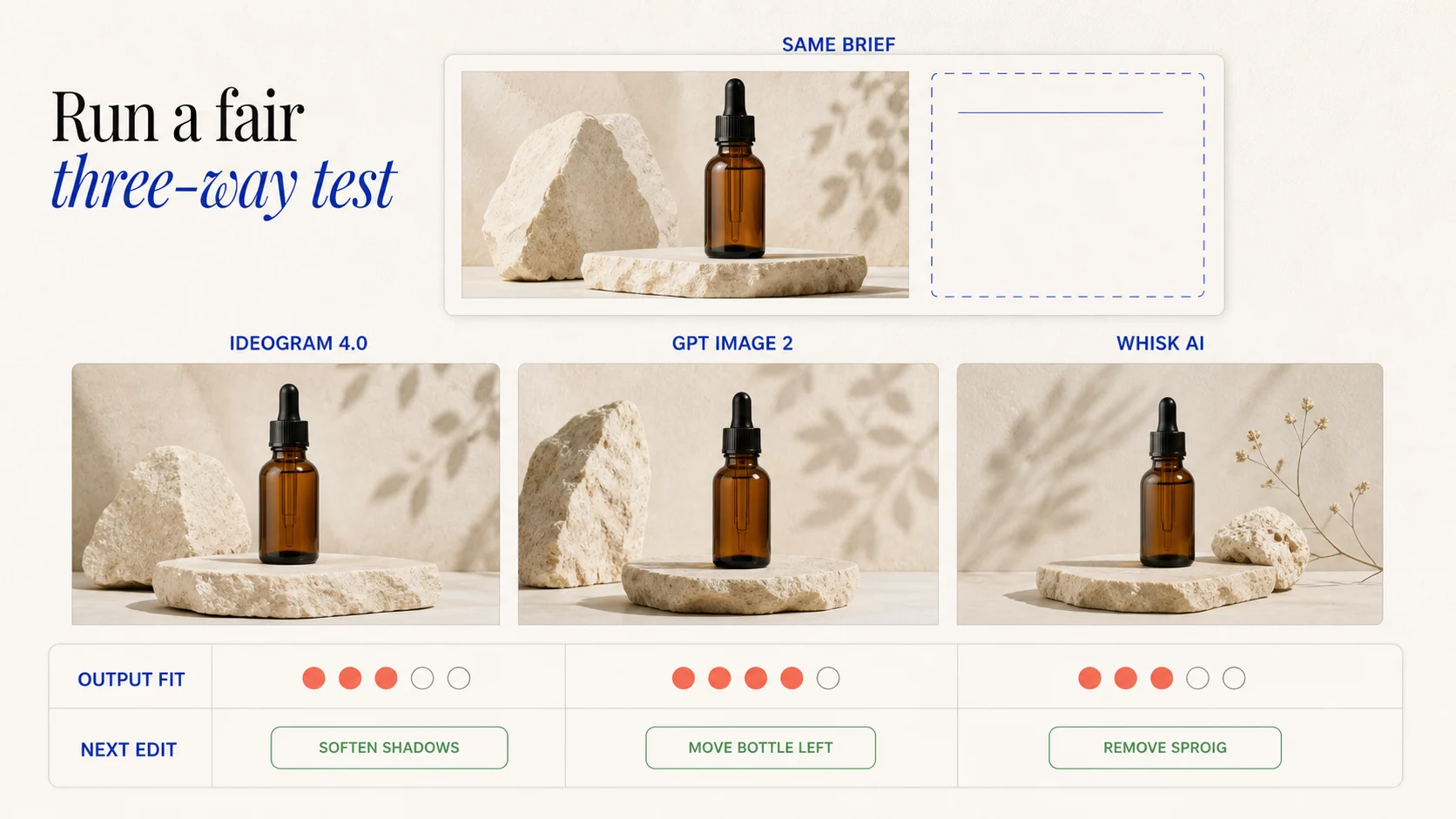
Do not compare a polished typography branch with a first attempt from an image-editing path. Give each route one correction, then judge the work required to reach an approved direction.
Review the output before approval
Review at the size and crop where the audience will see the asset. Check:
- Words: spelling, punctuation, capitalization, line breaks, and accidental extra text.
- Hierarchy: headline, product, focal point, and negative space read in the intended order.
- References: the product, material, scene, or style reference is present for a reason.
- Channel fit: ratio, resolution, safe area, and export format match the placement.
- Revision path: the next correction has one owner, one target, and one recorded input change.
The useful winner is the path that makes the next approved version cheaper. Ideogram may reduce manual type reconstruction. GPT Image 2 may reduce the work of restating a complex edit. Whisk AI may reduce the work of explaining which reference should change. Score that difference instead of rewarding the most dramatic first image.
Bottom line
Use Ideogram 4.0 when text, typography, and layout are the first deliverable. Use GPT Image 2 when a detailed instruction, image context, or bounded edit carries the main difficulty. Use Whisk AI when the campaign begins with a known subject and the team needs a legible Subject, Scene, and Style exploration loop.
The three options sit at different layers, so no universal winner exists. A campaign may use Whisk AI for reference-led exploration, GPT Image 2 for a context-heavy scene change, and Ideogram 4.0 for a typography-led route. Keep the approved source and final copy outside the generated image until review makes them authoritative.
Frequently asked questions
Which is best for text in images, Ideogram 4.0 or GPT Image 2?
Ideogram 4.0 is the stronger starting point when exact short copy, typography, and layout are the main job. GPT Image 2 is the stronger starting point when the text belongs to a larger scene or instruction-heavy edit. Proof the final words in either case.
Is Whisk AI another image model?
No. Whisk AI is a reference-led image workspace. Its selected model performs the generation, while the Subject, Scene, and Style slots organize the visual brief. The current catalog includes GPT Image 2 for text-to-image and image-to-image work, so keep the model decision separate from the workspace decision.
Can GPT Image 2 create a campaign poster with readable copy?
Yes, it can generate text inside images and follow complex visual instructions. It is still better to treat exact wording, line breaks, logos, and legal language as review targets rather than assuming that a persuasive first draft is final artwork.
Can Whisk AI place an exact headline in the final layout?
Whisk AI can include a requested phrase or reserve space for one, depending on the selected model and prompt. Its core advantage is reference organization, not editable typesetting. Use it to find the scene and composition, then finish exact copy in an approved design process.
How should I compare cost across the three?
Record the whole revision loop. Ideogram usage depends on plan, model, render speed, and output count. GPT Image 2 uses image and text token accounting, with input images and resolution affecting spend. Whisk AI shows a credit estimate based on the selected catalog model and parameters. The useful number is the cost to reach an approved asset, not the price of one isolated generation.