
Reference-led editing starts with a decision: which parts of the source must survive, and which parts can change? A product team may want a new setting around the same bottle. A designer may need three references combined into one scene. A brand team may want a layout that carries readable copy or an editable vector asset. Those are different editing jobs.
GPT Image 2, FLUX.2, and Recraft V4 can all work from visual input, but they expose different control surfaces. GPT Image 2 fits iterative edits and masks. FLUX.2 fits multi-reference composition and color control. Recraft V4 fits design-led image and vector generation, with a more limited editing story than its polished outputs suggest.
This comparison uses the same decision frame for all three: reference fidelity, change isolation, output fit, revision cost, and availability. It does not treat one model as a universal winner.
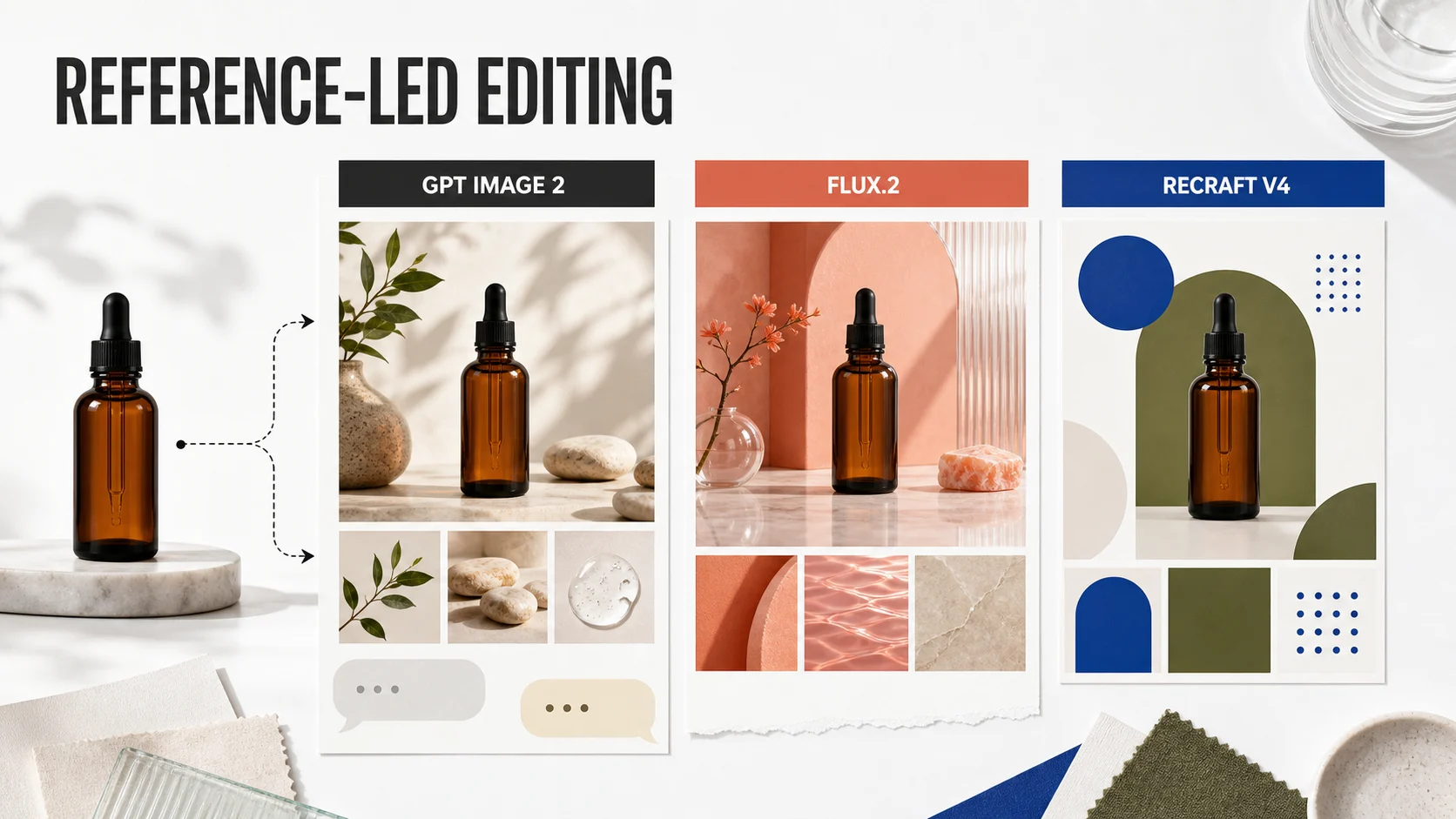
The short answer
| Model | Best starting point | Reference and editing surface | Output and availability | Main constraint |
|---|---|---|---|---|
| GPT Image 2 | Preserve a subject while changing its setting or details | Multiple image references, prompt edits, masks, and multi-turn editing | Available in the current Whisk AI image catalog with 1K, 2K, and 4K choices | Exact text, layout, and recurring brand details still need review |
| FLUX.2 | Combine several references into one coherent scene | One primary image plus additional references, style use, proportion guidance, and color control | External API and playground; up to 4MP output | Endpoint choice, async polling, and resolution-based cost add planning |
| Recraft V4 | Create design-forward raster or vector assets | Image-to-image with a strength value, plus design and vector generation | Recraft app and API; V4 Pro targets higher-resolution work | The V4 model page lists prompt-based editing, image sets, and artistic level control as unsupported |
For a known product, begin with the model that makes the next change easy to describe. A first draft matters, but the fourth revision usually decides whether a workflow earns a place in production.
What reference-led editing measures
Reference-led editing is more than uploading an image and adding a prompt. The input set usually contains a source image, one or more visual references, a change request, and an output requirement. The model has to interpret the relationships between those inputs.
Use these questions before you compare results:
- What must stay recognizable? Product shape, face, garment, material, or subject identity.
- What should change? Background, lighting, props, color treatment, crop, or text area.
- How many references have distinct jobs? One source image is a different problem from a source plus three material and style references.
- What is the next edit? A local correction, a new scene, a new aspect ratio, or a full design variation.
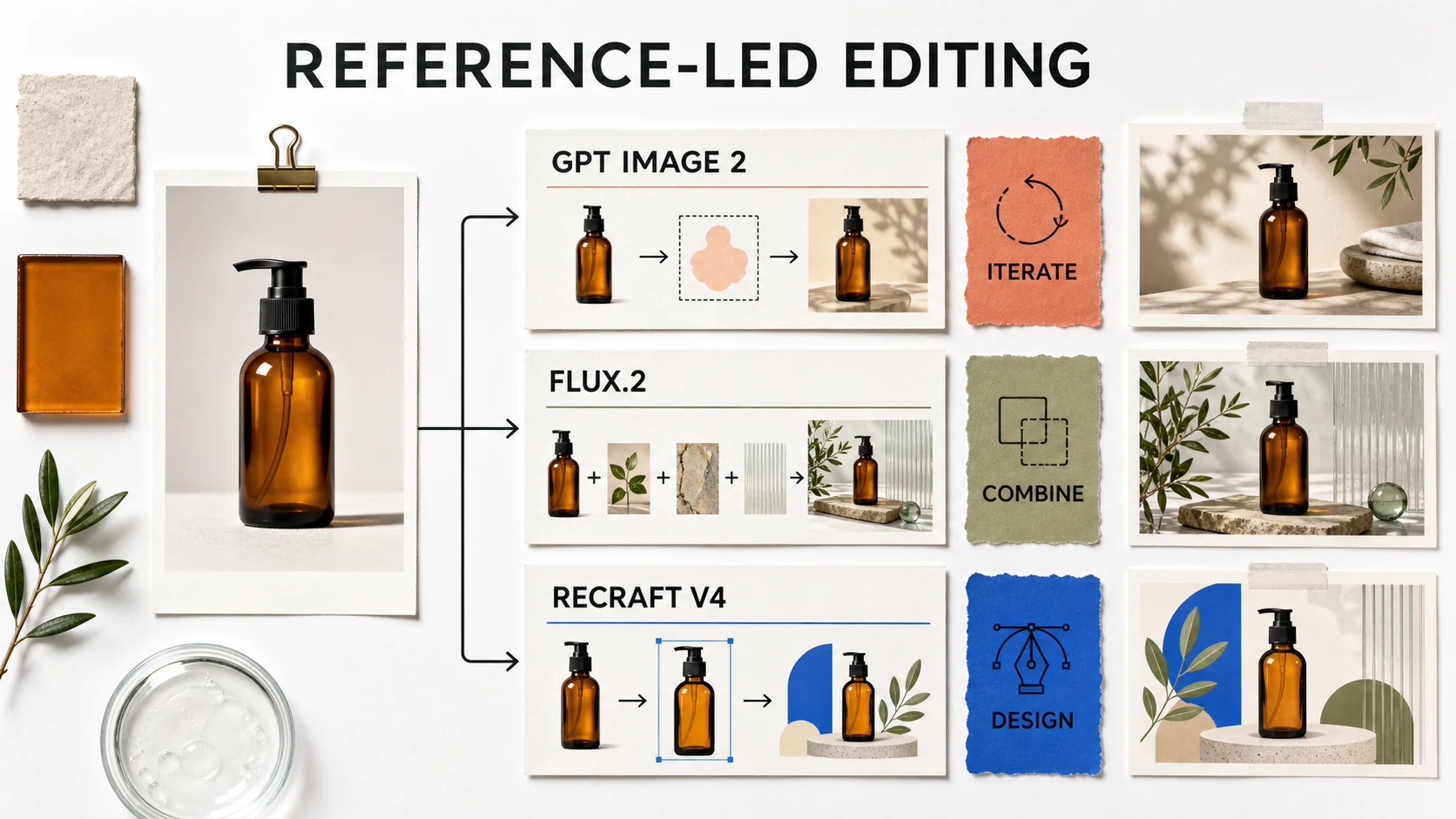
| Review dimension | Question to answer | Evidence to record |
|---|---|---|
| Reference fidelity | Does the output preserve the buyer-relevant parts of the source? | Silhouette, proportions, surface, and important marks |
| Change isolation | Did the requested area change without collateral drift? | Before and after comparison around the edit |
| Reference use | Can you see the supplied scene, material, or style reference in the result? | Color, lighting, texture, and composition cues |
| Output fit | Can the image move into the next production step? | Ratio, resolution, format, and usable copy space |
| Revision cost | Can a teammate describe the next change without starting over? | Time, credits, attempts, and input replacements |
GPT Image 2: the iterative editor
GPT Image 2 accepts text and image input and returns an image output. Its editing surface covers new images made from references, edits to existing images, and masked changes to a selected part of an image. A separate conversational route supports multi-turn editing, so a team can refine the same direction instead of restating the entire brief for each pass.
That makes GPT Image 2 a strong choice for an instruction such as: keep the bottle, cap, and camera angle; replace the stone background with a warm paper set; leave open space on the right for a headline. A mask can narrow the edit when the background should change while the subject remains untouched.
The current Whisk AI catalog exposes GPT Image 2 in both text-to-image and image-to-image modes. Its image-to-image entry accepts up to 16 reference images, with a 10 MB limit per image, and exposes aspect-ratio and 1K, 2K, or 4K resolution controls. The catalog starts the model at 10 credits and applies a higher multiplier to 2K and 4K output. This is the available Whisk AI path for testing GPT Image 2 without building a separate API client.
GPT Image 2 also has clear boundaries. Precise text placement, exact layout, transparent backgrounds, and repeated brand elements deserve a separate approval pass. The model can produce a persuasive concept while changing a label, a small mark, or a recurring character detail. Treat those details as review targets, not as proof of pixel-level preservation.
Choose GPT Image 2 when:
- One source image carries the identity that matters.
- The team expects several prompt revisions.
- A mask or local edit can reduce the blast radius of a change.
- You want to try the model inside the Whisk AI workspace.
FLUX.2: the multi-reference compositor
FLUX.2 is built for a reference set with several distinct jobs. Its editing API accepts a primary input_image and optional additional references through input_image_2 to input_image_8. The playground supports up to 10 references. That structure fits a brief that combines a subject, a material, a location, a lighting direction, and a style sample into one scene.
The model family also exposes explicit production choices. The klein variants prioritize speed, max targets the highest quality, pro balances production use, and flex emphasizes control such as typography. Preview endpoints carry the latest improvements, while pinned endpoints support more reproducible runs. FLUX.2 editing reaches up to 4MP and includes color guidance that can carry exact brand colors into the prompt and reference set.
The cost of that control is orchestration. An API request returns a polling URL, and the result arrives asynchronously. The signed result URL lasts for a limited period, so a production integration must retrieve or persist the output promptly. Pricing also changes by model and output resolution. For a campaign set, record the endpoint, resolution, reference order, and prompt along with each output.
Choose FLUX.2 when:
- Several references need to contribute separate visual ingredients.
- Exact colors and relative proportions matter more than conversational revision.
- The team can manage an asynchronous API and wants a pinned endpoint.
- A single source image cannot express the full scene.
FLUX.2 is not currently a generation model in the Whisk AI catalog. Compare it as an external model option, then use the same reference set and review scorecard when you judge its output against a Whisk AI GPT Image 2 run.
Recraft V4: design-led output with an editing boundary
Recraft V4 approaches the job from design quality. Its model documentation emphasizes balanced composition, cohesive color, refined detail, structured text, and editable vector output. V4 Pro targets higher-resolution raster work, while the V4 vector variants produce scalable artwork. The published API price is $0.04 per V4 raster image, $0.25 for V4 Pro, $0.08 for V4 Vector, and $0.30 for V4 Pro Vector.
Those strengths matter for packaging concepts, posters, icons, menus, and other visuals where the visual system is part of the deliverable. Recraft V4 can produce a more finished design direction than a raw scene remix, and vector output changes the handoff for teams that need editable geometry.
Reference-led editing needs a closer reading of the current documentation. The V4 model page lists style creation, prompt-based editing, image sets, and artistic level control as unsupported. The API endpoint documentation lists imageToImage as available with Recraft V4 raster and vector models and uses a strength value from 0, almost identical to the source, to 1, minimal similarity. Inpainting and outpainting remain listed for V3 models. That means V4 image-to-image is useful for broad variations, but it should not be treated as the same surgical editing surface as a masked local edit.
Recraft V4 is also not a generation model in the current Whisk AI catalog. Whisk AI includes a separate Recraft Crisp Upscale processing model, which increases image resolution and sharpness. That entry does not provide Recraft V4 generation or its design controls.
Choose Recraft V4 when:
- Layout, typography, illustration, or vector handoff is part of the brief.
- You want a design-forward first draft rather than a narrow retouch.
- A broad image-to-image variation is acceptable.
- You can verify the current V4 editing route before committing to a production pipeline.
Choose by editing job
Preserve a product while changing its setting
Start with GPT Image 2. Give it a clean source, name the invariant details, and describe one environmental change at a time. In Whisk AI, use the image-to-image mode and keep the first run at a manageable resolution while you test the direction. For a broader Subject, Scene, and Style brief, the existing guide to AI product photography provides a useful reference separation.
Combine several references into one scene
Start with FLUX.2. Assign each reference a job, keep the source order stable, and pin the endpoint when repeatability matters. A reference set without roles creates a harder review problem because you cannot tell which input caused a drift.
Build a layout or vector asset
Start with Recraft V4. Use it when readable text, balanced composition, or scalable geometry is part of the output. Move high-value copy and regulated language through a design approval pass. A model that understands layout can still produce a wrong word.
Keep catalog truth intact
Use the approved product photograph as the authority. These models can explore a backdrop, campaign crop, or seasonal direction, but generated pixels should not define dimensions, ingredients, claims, or mandatory packaging text.
Run a fair three-model test
Use one unbranded amber bottle, one calm campaign idea, and one landscape ratio. Keep the source, output size, number of attempts, and review criteria constant. Then run the same sequence:
- Change the setting while preserving the product.
- Add a material or lighting reference.
- Create a crop with clear negative space for copy.
- Attempt one local correction or controlled variation.
- Record time, price or credits, output resolution, failed details, and the next requested change.
Do not compare a polished Recraft design against a first GPT Image 2 draft. Give each model a chance to correct its weakest decision, then compare the effort required to reach an approved direction.
Score the next revision
An attractive image can still fail its job. Review the output at the size where a customer will see it, then compare it with the source reference.
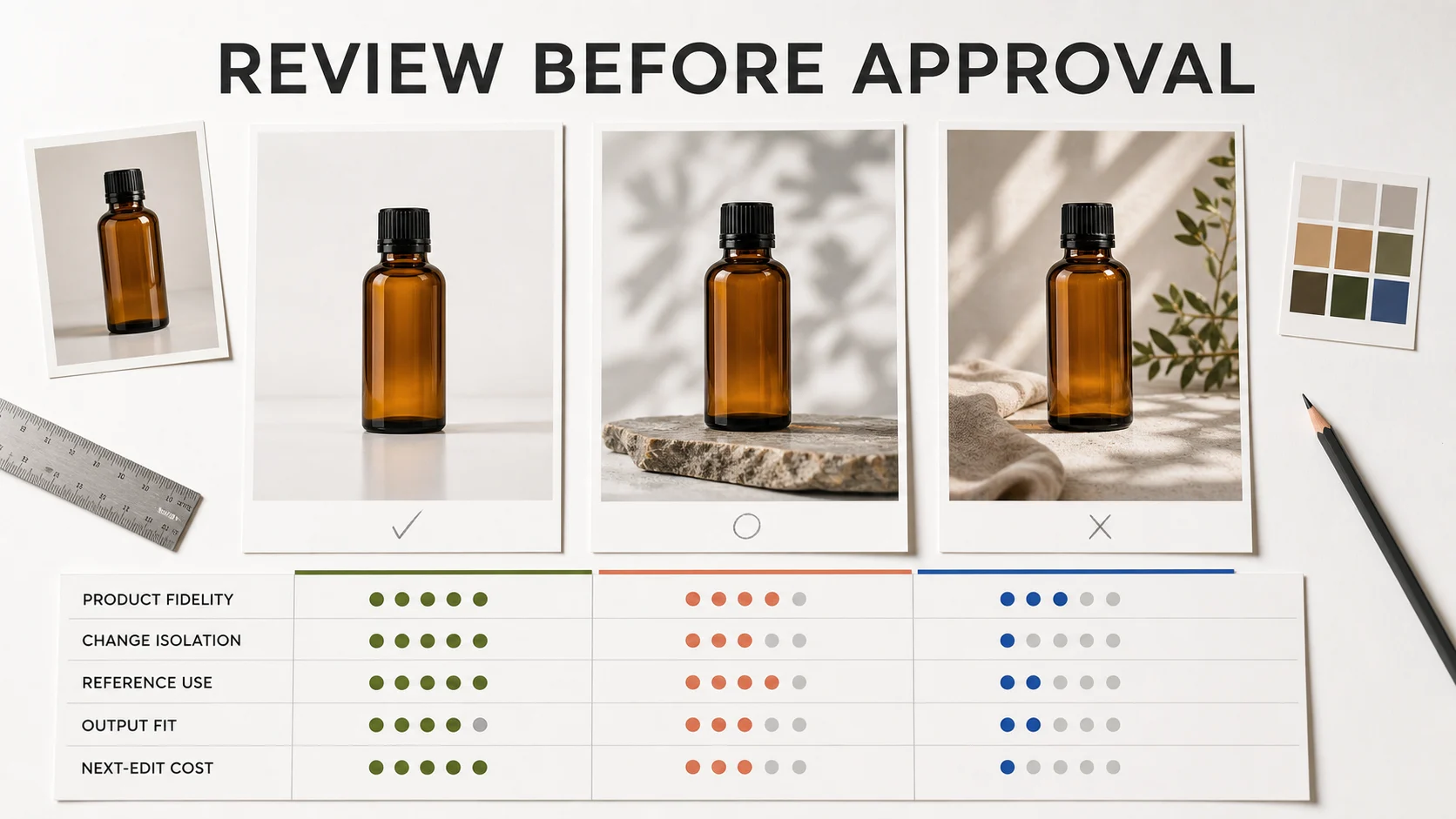
| Dimension | Pass condition | Regenerate or revise when |
|---|---|---|
| Product fidelity | Shape, cap, material, and important features remain recognizable | The subject changes while the prompt asks for a scene edit |
| Change isolation | The requested area changes and the untouched area stays stable | A background edit changes the product or crop without permission |
| Reference use | The scene, style, color, or material reference is visible in the result | The output falls back to a generic look |
| Output fit | Ratio, resolution, format, and copy space match the channel | The result needs a second composition before anyone can use it |
| Next-edit cost | The next change has one clear target and a bounded input set | The whole brief must be rebuilt to fix one defect |
This scorecard turns model choice into a production decision. GPT Image 2 may reduce the cost of a local or conversational revision. FLUX.2 may reduce the cost of assembling a complex reference set. Recraft V4 may reduce the handoff cost for a design asset. The lowest first-generation price is not the same as the lowest project cost.
Bottom line
Choose GPT Image 2 for iterative reference edits, masks, and a subject that needs to stay recognizable. Choose FLUX.2 for multi-reference composition, color control, and endpoint-level reproducibility. Choose Recraft V4 for design-led raster or vector output when a broad variation is acceptable and the editing boundary fits the brief.
For Whisk AI users, GPT Image 2 is the model from this comparison that the current image catalog exposes for generation. Start in the Whisk AI workspace, keep the first edit narrow, and review the result against the source before increasing resolution or adding more references.
Frequently asked questions
Which model is best for reference-led image editing?
GPT Image 2 is the strongest starting point for iterative edits to a known subject. FLUX.2 is a better fit when several references need to become one scene. Recraft V4 is the better fit when design quality, structured text, or vector output is part of the deliverable.
Does Whisk AI offer all three models?
No. The current Whisk AI generation catalog exposes GPT Image 2. FLUX.2 and Recraft V4 are not selectable generation models there. Recraft Crisp Upscale is available as a separate image-processing model, not as V4 generation.
Can Recraft V4 make precise local edits?
Use caution. Recraft's API documentation lists V4 image-to-image with a strength control, while the V4 model page lists prompt-based editing as unsupported and reserves inpainting and outpainting for V3. Treat V4 as a design and variation model until the exact editing route is verified for your account.
Should a generated image become a final product packshot?
Not without a product and brand review. Use approved photography for exact labels, claims, dimensions, and compliance details. Use these models to explore the visual route around that source of truth.